
A model number identifies a product line, so every washing machine of that design shares it. A serial number identifies one specific unit, so no two appliances on earth should share the same one. You need the model number for parts, specs, and manuals. You need the serial number for warranty claims, recalls, and proving what you actually own.
TL;DR:
- Model numbers are shared across an entire product line and used to identify compatible parts, while serial numbers are unique identifiers for individual units.
- Serial numbers vary widely in format and often require manufacturer-specific lookup tools to decode production date, batch, or factory information.
- Finding both numbers typically involves checking labels inside appliances like refrigerators or behind devices like TVs, often on the back or inside panels; lost labels can sometimes be retrieved from receipts or manual copies.
- Serial numbers are essential for confirming warranty coverage, verifying recalls, and proving ownership, especially in cases of theft or resale, whereas model numbers assist in parts ordering and specifications.
- Using a serial number with appliance age calculators can help determine the estimated remaining lifespan of a device, informing repair decisions and budgeting.
Table of Contents
- Model Number vs Serial Number: The Core Difference
- What Is a Serial Number, Exactly?
- How Do Model and Serial Numbers Differ in Practice?
- Where Do You Find These Numbers on Your Appliances?
- Why Do Both Numbers Actually Matter?
- How Do You Use a Serial Number to Check an Appliance's Age?
- Quick Checklist: What to Record and Where
- A Homeowner's Honest Take on Tracking These Numbers
- Check Your Appliance's Age in Under a Minute
- Sources
Model Number vs Serial Number: The Core Difference
A model number is a manufacturer's shorthand for a specific design, feature set, and configuration. Every refrigerator built to that exact spec, whether it rolled off the line in January or December, carries the same model number. That's why Rentman's guide to equipment serialization treats the model number as a group identifier rather than a unit identifier.
Manufacturers use it to organize catalogs, manage inventory, and match replacement parts to the right design. If you're ordering a door gasket or a control board, the model number tells the supplier which part fits.
Formats vary a lot by brand:
- Whirlpool and Samsung often use long alphanumeric strings with suffixes indicating color or region.
- Some brands append a letter or number at the end to mark a minor revision of the same base design.
- Cosmetic differences (a different bezel, a regional plug) sometimes get their own model number even when the internal parts are identical.
Samsung's own support guidance is a good example of how differently brands format and place this information, so don't assume one appliance's label layout applies to another.
What Is a Serial Number, Exactly?
A serial number is the unique fingerprint stamped on one specific unit. Two refrigerators with the identical model number will always have different serial numbers, because the serial exists to track that one physical object through manufacturing, shipping, and its service life.
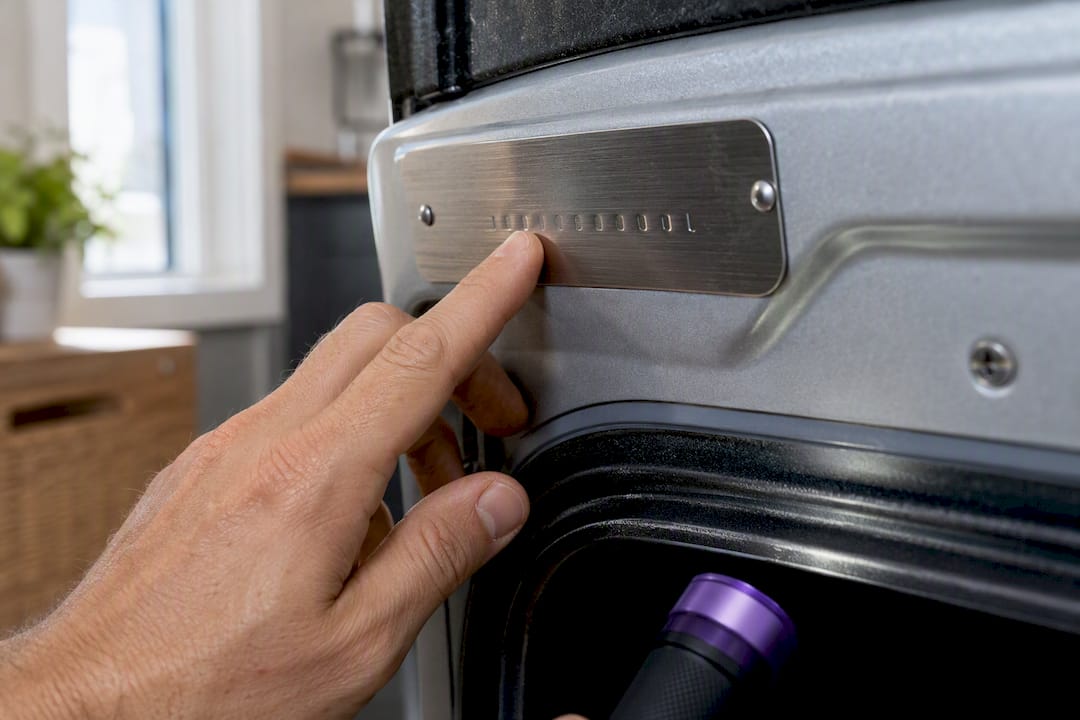
According to Wikipedia's overview of serialization, serial numbers can be purely numeric or alphanumeric, and they're used across industries for quality control and theft prevention, not just consumer appliances.
Here's the catch: there's no universal format.
- Length varies by manufacturer, sometimes even by product line within the same brand.
- Some serials encode a factory code, production date, or batch number; others use a sequence with no obvious pattern.
- Rentman notes that because there's no standard, you generally cannot validate a serial number just by checking its length or character pattern.
That variability is exactly why a serial number often needs to be run through a manufacturer's own database, or a dedicated lookup tool, before it means anything useful to you.
How Do Model and Serial Numbers Differ in Practice?
The distinction boils down to scope and purpose. One describes a design; the other describes an object.
| Factor | Model number | Serial number |
|---|---|---|
| Scope | Applies to an entire product line | Applies to one single unit |
| Uniqueness | Shared across thousands of units | Unique to that one appliance |
| Primary use | Parts, specs, manuals | Warranty, recalls, ownership |
| Format example | WRF | SN |
| Where to find it | Door label, back panel, manual | Same label, usually below the model number |
Three quick use cases: ordering a replacement ice maker means giving the parts counter your model number. Checking a fridge against a recall list means the manufacturer wants the serial. Filing a police report after a theft means the serial is the only number that actually identifies your unit versus every other one like it.
Recalls make the gap concrete. A manufacturer can issue a recall for an entire model line, but they use serial number ranges to figure out which specific units, built in which specific window, actually contain the defective part. Without your serial, there's no way to know whether your exact unit is affected.
Where Do You Find These Numbers on Your Appliances?
Most manufacturers put both numbers on the same label, one right above the other. Where that label sits depends on the device.
- Refrigerators: check inside the fridge compartment on the side wall, or on the back panel near the compressor.
- Washers and dryers: look inside the door frame or on the back panel near the power cord.
- Dishwashers: open the door and check the inside edge of the tub, near the top.
- TVs and monitors: check the back panel, or dig into the settings menu under "About" or "System Info."
- Phones and tablets: check the back of the device, or find it in settings under the general or "About" page (often listed alongside the IMEI).
- Smart home devices: most require opening a companion app and checking the device settings menu, since there's no external label.
If a label has worn off or was never visible, check the original box, the receipt, the owner's manual, or even old listing photos if you bought it used. Samsung's support page confirms this label placement pattern holds across most of its appliance categories, and it's a reasonable template for other major brands too.
Why Do Both Numbers Actually Matter?
Repair technicians ask for the model number first because it tells them which parts diagram to pull up. Ask for a part using only the serial number and most suppliers can't help you.
The serial number does different work entirely:
- It ties your specific unit to a production batch, which is how manufacturers confirm whether your appliance falls inside a recall window.
- It's the number your warranty department checks against their database to confirm coverage dates.
- It's the number insurers and police ask for after a theft, since it's the only identifier that distinguishes your washer from every identical one sold that year.
- Buyers of used appliances sometimes use the serial to verify a unit isn't reported stolen before completing a resale.
Homeowners tend to underestimate how much that last point matters. A look at serialization practices in operations and asset tracking makes the case that recording serial numbers at the time of purchase meaningfully improves recovery odds if something is ever stolen. Most people never write it down until they need it, which is exactly the wrong order.
How Do You Use a Serial Number to Check an Appliance's Age?
Many manufacturers embed a production date or batch code directly inside the serial string, but the decoding rules are proprietary and differ brand by brand. There's no shortcut that works universally, which is why generic "serial decoder" tricks you find online often produce wrong answers.
Mytidyboss's Appliance Age Calculator is built around this exact problem. You enter the model and serial number, and it maps the serial against known manufacturer date-coding patterns to estimate the appliance's age, which then feeds into decisions about repair versus replacement.
- It needs the model number and serial number at minimum; a purchase date sharpens the estimate further.
- It returns an estimated manufacture date and, where possible, an expected remaining lifespan range.
- Full accuracy notes and how the decoding logic works are laid out in the site's methodology page.
Pro Tip: If the calculator returns an inconclusive result, don't assume the tool failed. Some manufacturers use closed, undocumented serial schemes. Your next move is contacting the manufacturer's support line directly, or checking your original receipt for a purchase date.
Quick Checklist: What to Record and Where
- Write down both the model and serial number, plus your purchase date, right after buying any major appliance.
- Photograph the label and the box, then save copies to your email or cloud storage.
- Give the serial number to police or your insurer if you ever report a theft.
- Give the model number to parts suppliers or technicians when ordering a repair.
A Homeowner's Honest Take on Tracking These Numbers
Most people ignore both numbers until something breaks or disappears, and by then the label's often gone too. Photograph it the week you buy the appliance. It takes thirty seconds, and it's the only reliable way to check a recall or confirm your unit's age later.
— Hadi
Check Your Appliance's Age in Under a Minute
Once you've got your model and serial number written down, the next useful move is figuring out how much life your appliance actually has left before you sink money into a repair. Mytidyboss's Appliance Age Calculator turns that serial number into an estimated manufacture date and a realistic lifespan range, so you're deciding based on data instead of a guess about how old that fridge "feels."
It only asks for what you already have on hand: the model number, the serial number, and ideally a purchase date if you know it. No account, no email required to get a result. If you want the full breakdown of how the age estimates are calculated, the methodology page walks through it, and the broader tools hub has calculators for maintenance budgeting and specific appliance categories too. Pull up your appliance's label, grab both numbers, and run the calculator before you call a repair technician.
Sources
- Serial numbers for equipment — Rentman
- Find the model number and serial number for your Samsung product — Samsung Support
- Serial number — Wikipedia